
Update in Merchant Portal
1.Login to Merchant Portal at https://merchantportal.xplorpay.net/.
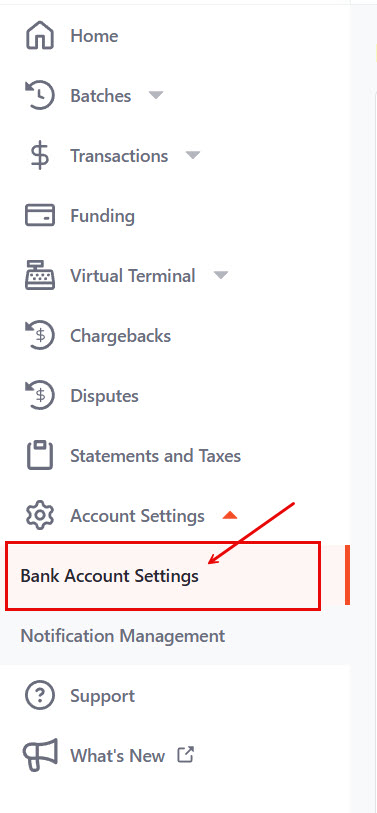
2. Select Account Settings from the left menu, then select ‘Bank Account Settings
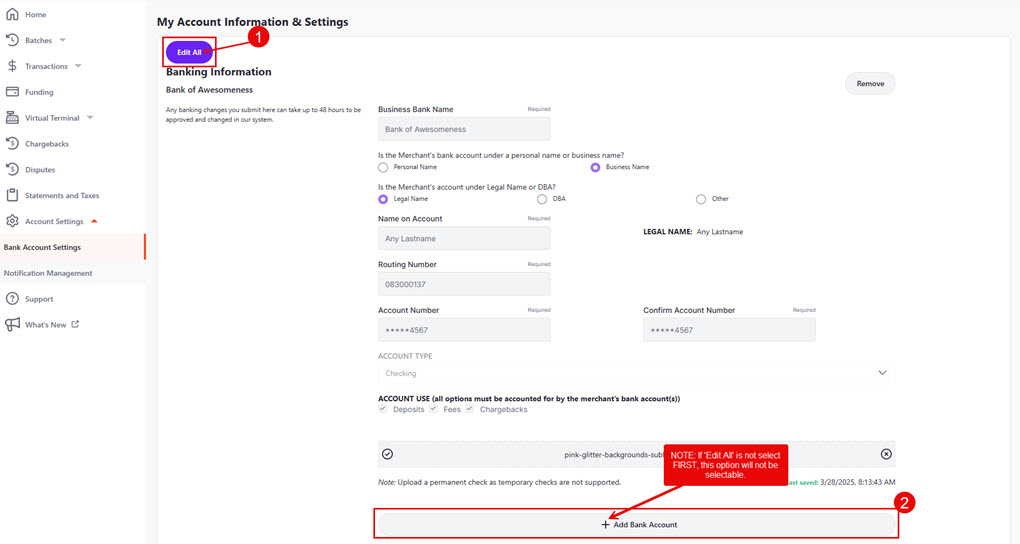
3. On the ‘My Account Information & Settings’ screen, select ‘Edit All’ and then select ‘+ Add Bank Account’ at the bottom of the screen.
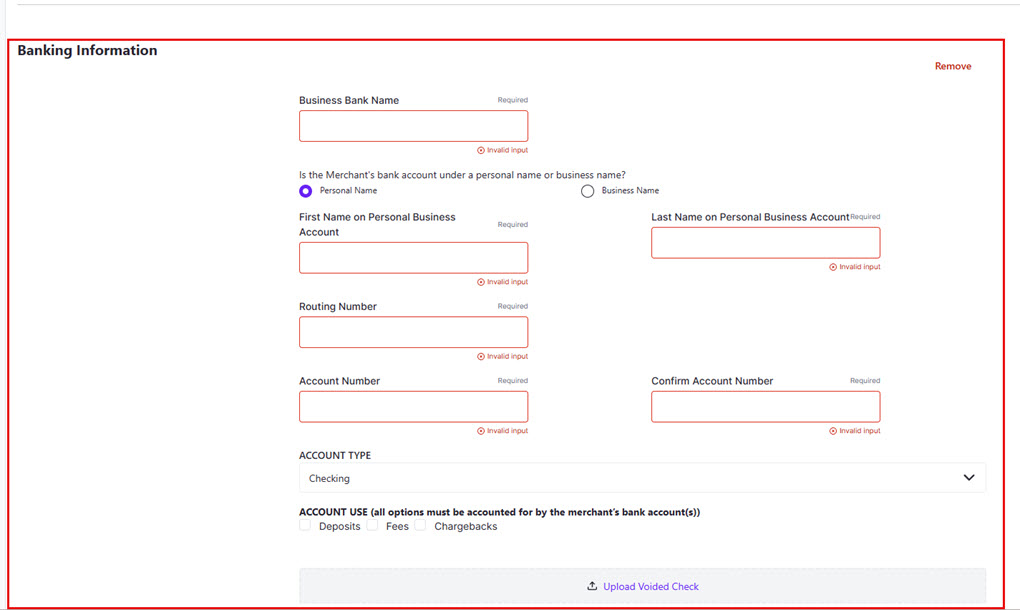
4. The ‘Banking Information’ screen will then populate below:
5. Complete the following fields:
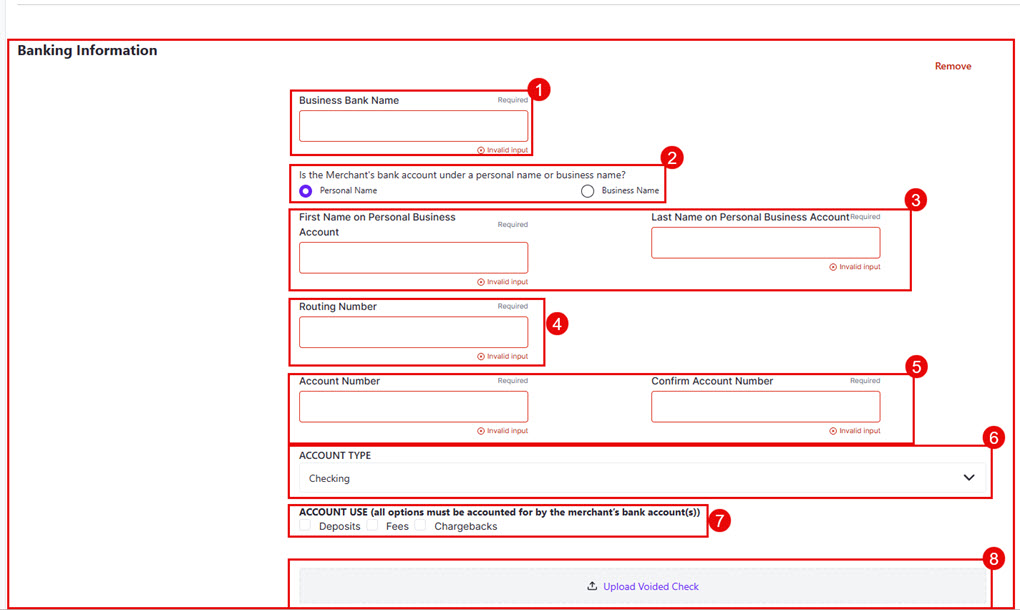
- Business Bank Name (Enter the name of the bank and select whether the account is listed under the business’s Legal Name, DBA, or Other)
- Confirm if the bank account is listed as a personal or business account.
- If listed as a business account, is the bank account listed under legal name, DBA, or other
- First and last name on personal business account
-or-
If listed as a business, enter the name on the account - Routing number
- Account number
- Confirm account number
- Account type (NOTE: Merchants may only use a Checking Account. If any concerns, reach out to direct leadership.)
- Account use (Deposits, Fees, or Chargebacks)
- Scroll to the top of the page and click SUBMIT (NOTE: Remind the caller that it can take up to 48 hours before the bank change is approved)
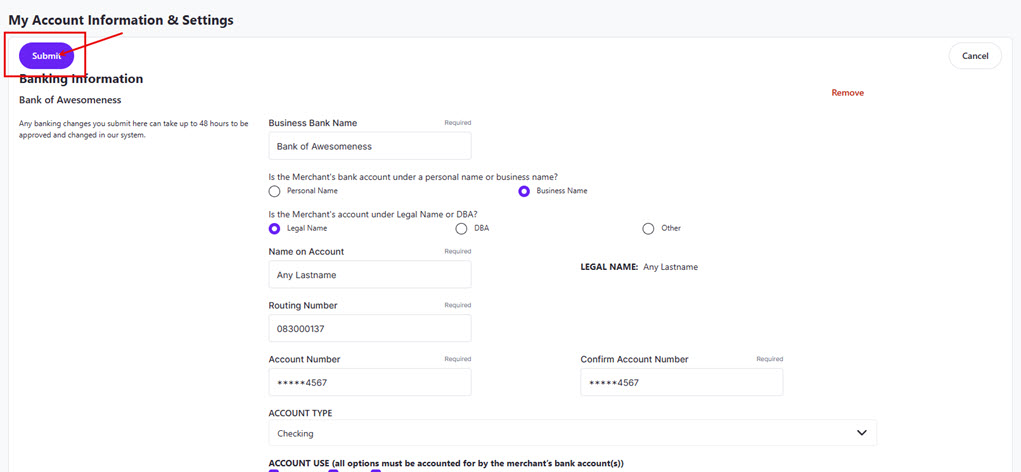
Note: If the routing number does not match a valid banking institution, a red line will appear around the box, and the form will not submit. The system will attempt to match the account to a known valid account through our verification system. If no match can be made, a red error box will appear at the bottom of the screen, and a voided check will need to be uploaded.
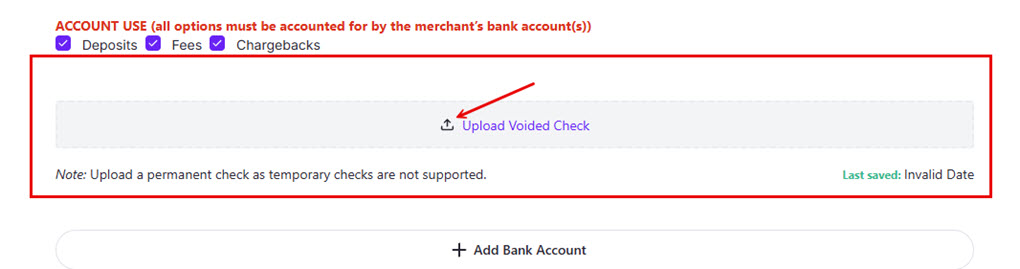
Select the “Upload Voided Check” Button and choose a digital image of a valid, voided check or bank letter on official letterhead (note: starter checks are not valid for this process). At the top of the page, select ‘Submit’.
6. Once the form is successfully submitted, a red box stating Changes Pending Approval will appear along with the Proposed Changes
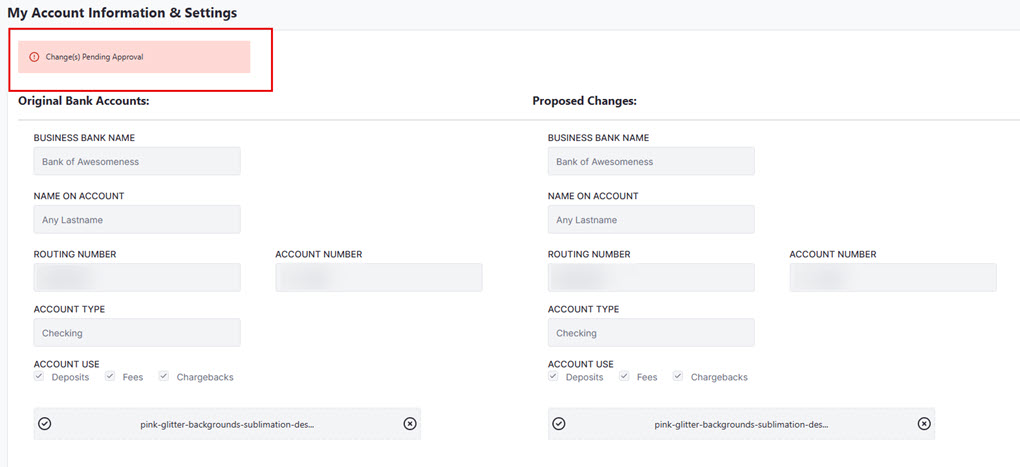
If you are unable to complete this update on your own, please fill out the form below.
- Complete the Bank Account Update Form.
- Email completed form and voided check or DDA letter to [email protected].
- Your request will be processed in 3-5 business days